Settings
How to Import CS2 Viewmodel Commands
Copy a player's CS2 viewmodel commands, paste them into the developer console and fix commands that do not apply or reset.
How to import CS2 viewmodel commands
Open a BestCrosshair player profile, select Copy viewmodel, then paste the complete command line into the enabled CS2 developer console. Press Enter once and check the weapon position in game.
Keep the semicolon-separated line intact. It applies the preset, field of view and offsets together instead of mixing values from different setups.
- Enable the developer console
Open Settings, choose Game and set Enable Developer Console (~) to Yes.
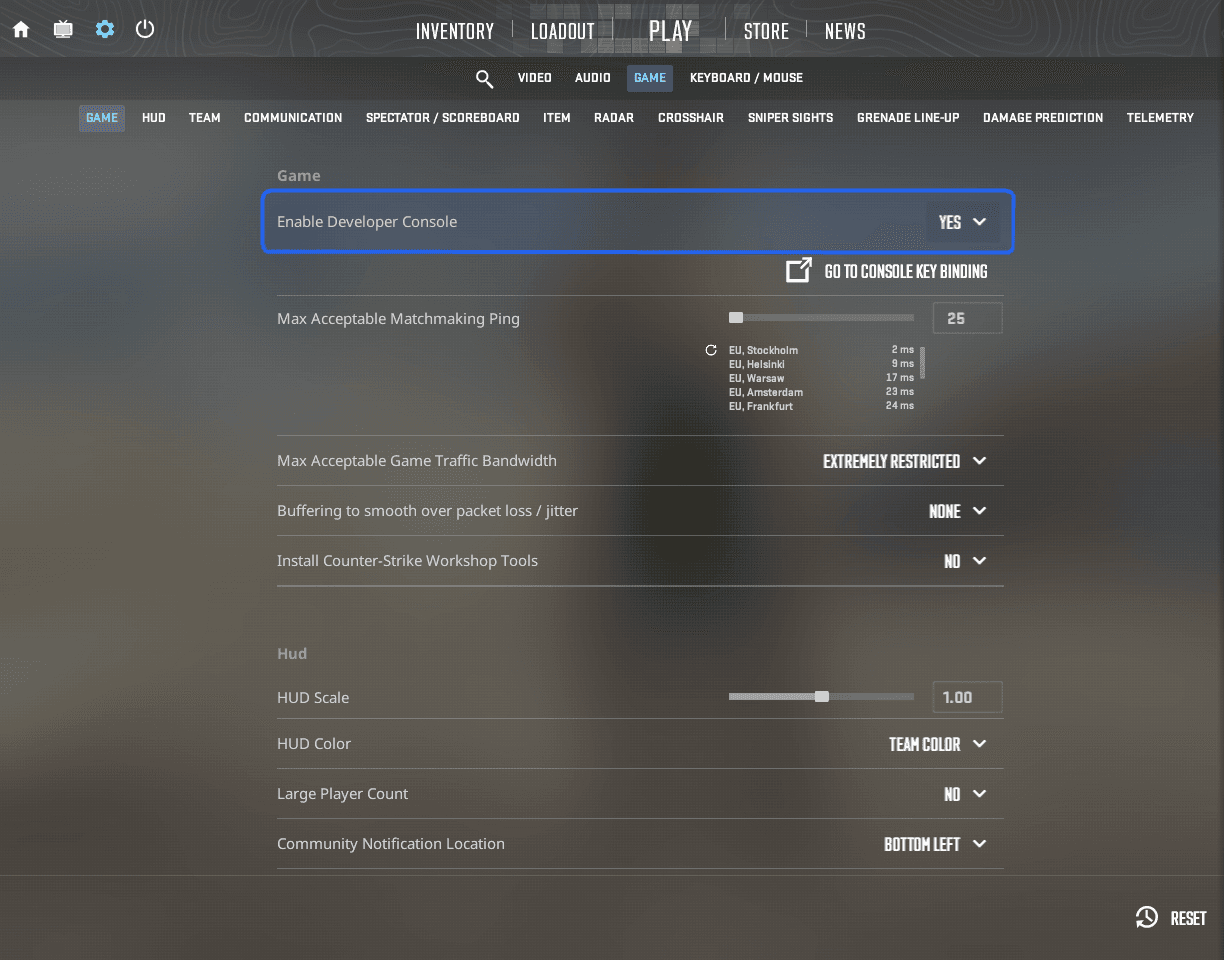
Open Settings, choose Game and set Enable Developer Console (~) to Yes. - Copy the complete viewmodel
Find the Viewmodel section on the player profile and select Copy viewmodel. Do not remove any commands.
- Paste it into the console
Press your console key, paste the complete line into the input at the bottom and press Enter once.
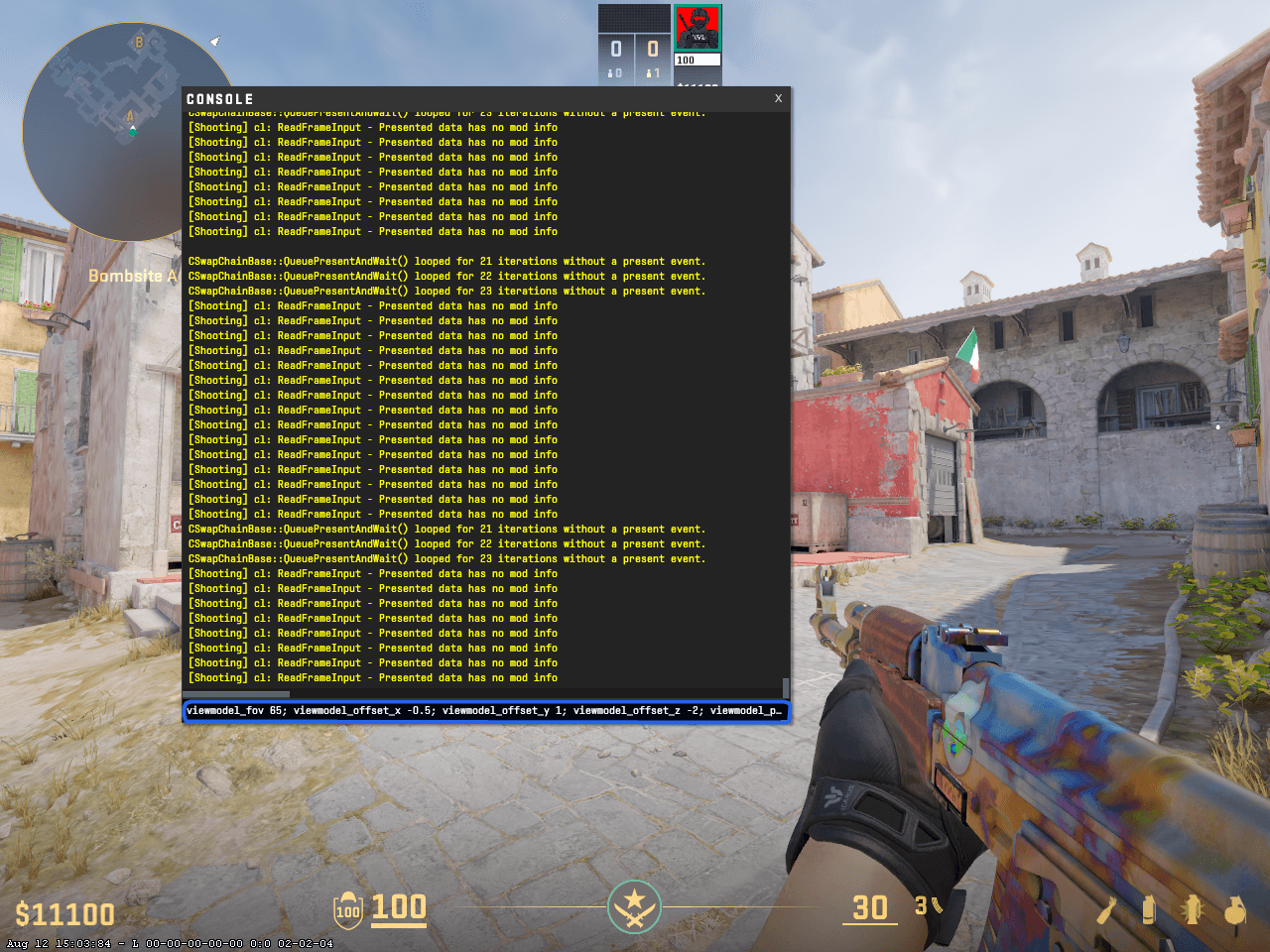
Paste the complete semicolon-separated viewmodel command line into the console and press Enter. - Check the result in game
Close the console and switch between a rifle, pistol, knife and grenade before deciding whether to keep it.
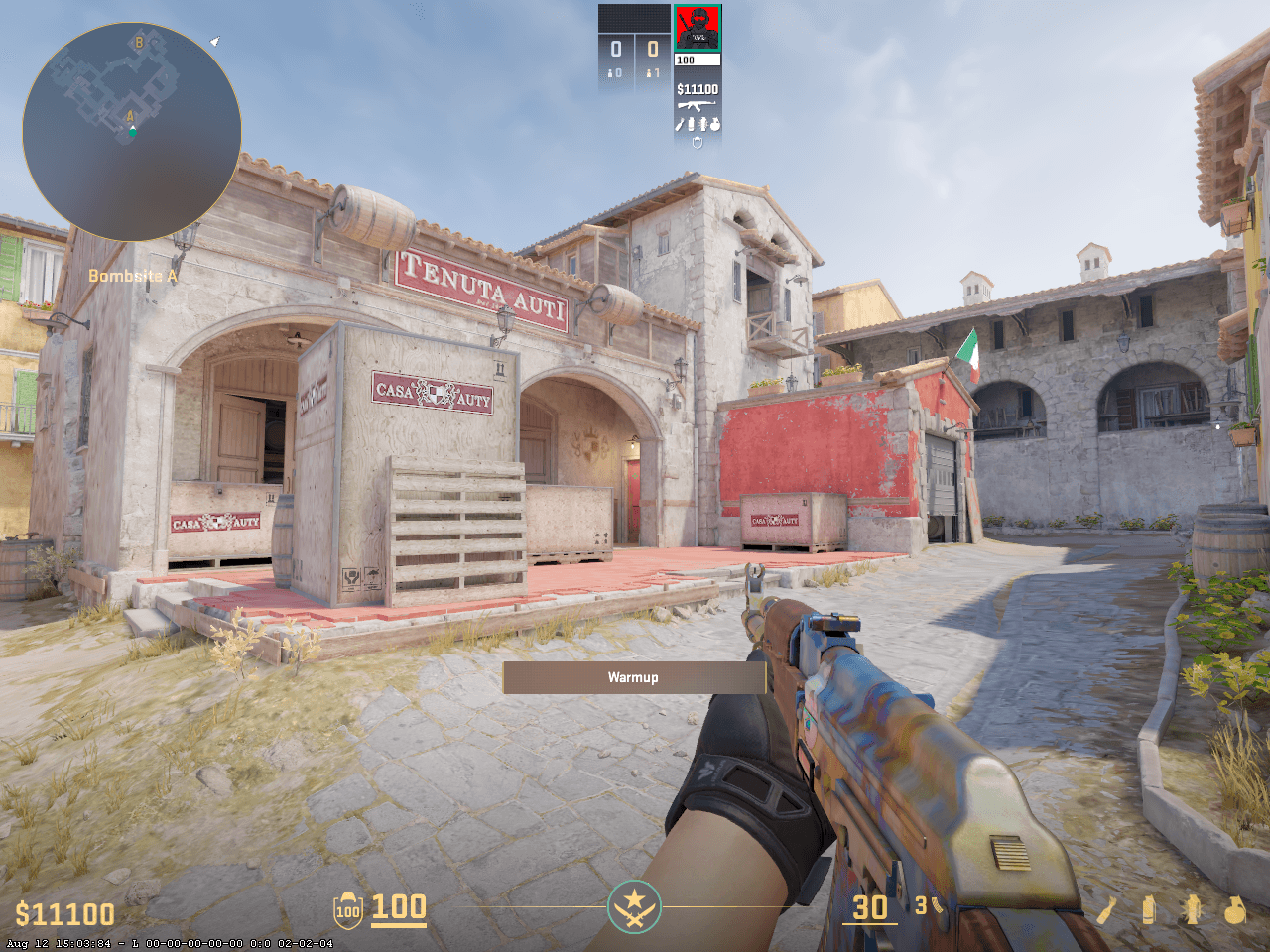
The custom viewmodel after the commands have been applied.
viewmodel_presetpos 2; viewmodel_fov 68; viewmodel_offset_x 2.5; viewmodel_offset_y 0; viewmodel_offset_z -1.5What a CS2 viewmodel changes
The viewmodel controls where your weapon and hands appear on screen. FOV changes how far away the model looks, while the X, Y and Z offsets move it sideways, forward or backward, and up or down.
The setting is visual. It can make parts of the screen feel less obstructed, but it does not change weapon accuracy, recoil or the amount of the map your camera can see.
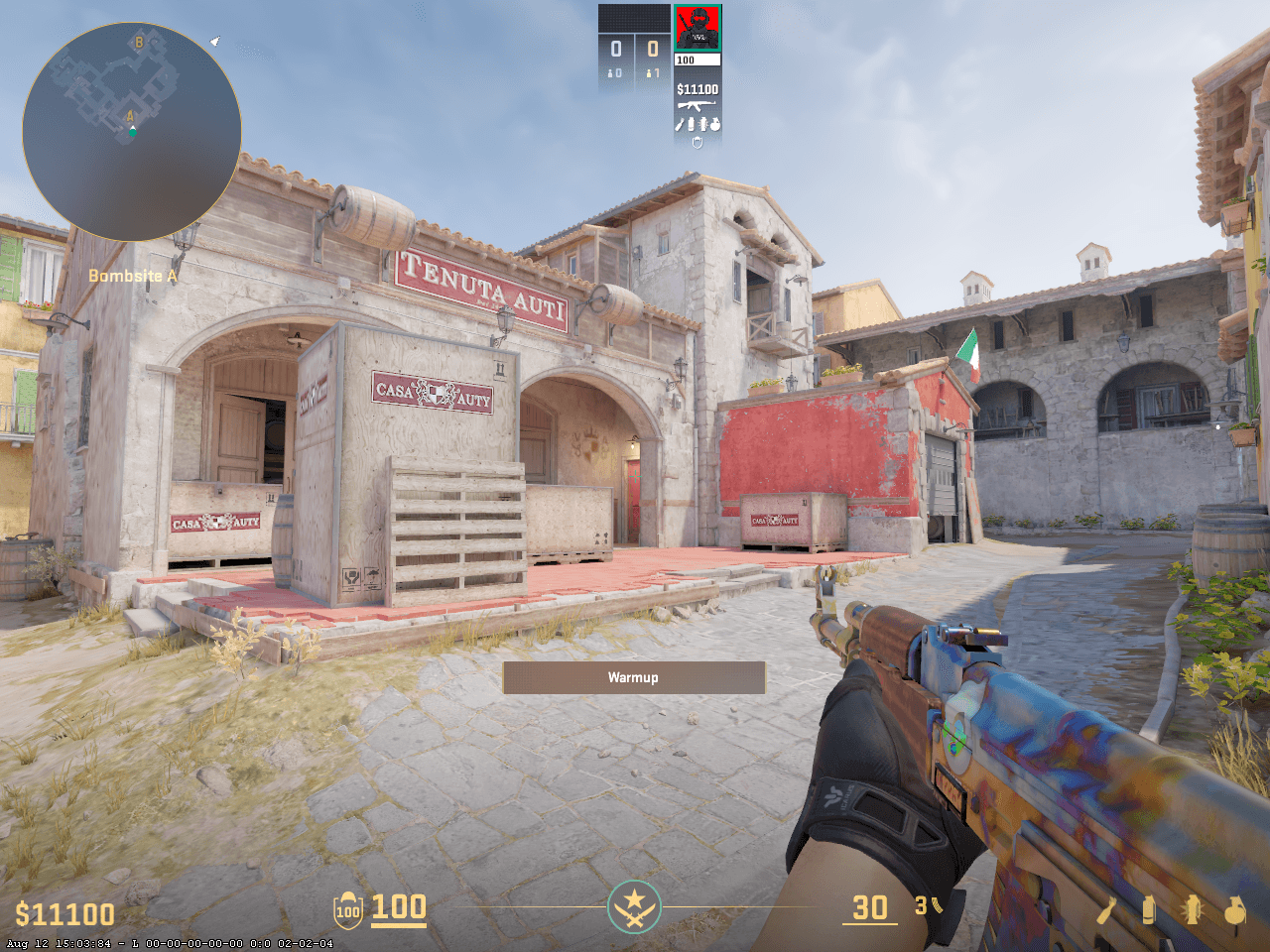
How to check that the viewmodel worked
The weapon should move as soon as you press Enter. Close the console, stand still and switch between a rifle, pistol, knife and grenade because each model occupies a different part of the screen.
If nothing changes, reopen the console and check the latest line for an error. You can also paste one command at a time to identify the value that did not apply.
Fix viewmodel commands that do not apply or reset
Match what you see in CS2 to the symptom below and try the smallest relevant fix first.
- The console will not open
- Likely cause
The developer console is disabled or the key below Escape is not assigned on your keyboard layout.
What to doEnable it under Settings → Game. If necessary, assign Toggle Console to an unused key such as F10 under Keyboard/Mouse settings.
- CS2 reports an unknown command
- Likely cause
The line contains a spelling error, formatted punctuation or an outdated command.
What to doCopy the original line again and paste ordinary text. Remove only the command CS2 explicitly identifies as unknown.
- Only some values change
- Likely cause
A preset command can overwrite several offsets when it runs after them.
What to doKeep viewmodel_presetpos first and the explicit FOV and offset commands after it so those values remain final.
- The viewmodel resets later
- Likely cause
Another CFG, autoexec or later preset is overwriting the values.
What to doSearch your configs for conflicting viewmodel commands or execute the chosen viewmodel after the other file has loaded.
Save the viewmodel in a CFG file
To reuse the setup, save the commands in a separate .cfg file and execute it when needed. Follow the CS2 config installation guide for the correct folder and exec command.
Use a separate player-name.cfg while testing. Do not replace an existing autoexec.cfg without making a backup first.
What the viewmodel commands mean
viewmodel_presetpos selects a built-in starting position. viewmodel_fov controls the apparent distance of the weapon model. The X offset moves it left or right, Y moves it forward or backward, and Z moves it up or down.
When a copied line includes both a preset and individual offsets, run the entire line in its original order. The later offset values are then the final result.
viewmodel_presetpos 2; viewmodel_fov 68viewmodel_offset_x 2.5; viewmodel_offset_y 0; viewmodel_offset_z -1.5Frequently asked questions
Where do I paste CS2 viewmodel commands?
Enable the developer console under Settings and Game, open it with your assigned console key, paste the complete semicolon-separated command line and press Enter.
Do CS2 viewmodel commands change accuracy?
No. They change the on-screen weapon position and do not change recoil, spread, damage or mouse sensitivity.
Why does my viewmodel reset?
A preset, another CFG file or a later command may overwrite the offsets. Execute your chosen commands after the preset and check other configs for conflicting values.
Can I copy a professional player's viewmodel?
Yes. Copy the complete command line from the player's Viewmodel section, paste it into the enabled developer console and test it in a practice map.